Free & Open Source
K9 Web Protection

Web Protection
for Your Family

A free, open-source parental control app for Mac. Block adult content, harmful websites, and keep your family safe online — no subscription required.

Download for macOS — v2.0
Coming soon Windows

macOS 12 Monterey or later · Apple Silicon & Intel · Free forever · .zip app bundle

2
Layers of protection
100K+
Blocked domains
Free
No subscription
Open
Source code

Everything you need to stay protected

Two independent layers of protection work together to block harmful content before it reaches your screen.

🛡️

Layer 1 — DNS Blocking

Blocks harmful domains at the system level via /etc/hosts. Works for every app and browser on your Mac, even offline.

🔍

Layer 2 — Proxy Filter

A local HTTPS proxy inspects URLs and keywords in real time. Works in every browser — Chrome, Firefox, Safari, Brave — including incognito and private browsing modes.

🔒

Password Protection

Lock settings and the uninstall process behind a password. Changing any filter requires authentication.

⏱️

Focus Mode

Timed lock from 30 minutes up to 8 hours. Once active, the protection cannot be disabled until the timer expires — even by you.

Disable Delay

Require a 1–48 hour waiting period before protection can be turned off. Prevents impulsive bypassing in moments of weakness.

👤

Accountability Partner

Store a partner's email address inside the app. Their presence raises the cost of bypassing — accountability without surveillance.

🔑

Custom Block & Allow Lists

Add your own domains to the blocklist or whitelist specific sites that the built-in filter would otherwise block.

🔄

Auto-Restart Watchdog

A background agent re-locks binaries and re-enables the proxy every 10 seconds. Cannot be defeated by force-quitting the app.

🎛️

Content Toggles

Individually switch off adult content, explicit image search, YouTube, and Safe Search enforcement on Google, Bing, and DuckDuckGo.

🔐

100% Local & Private

All filtering runs on your machine. No URLs, history, or stats ever leave your device. No telemetry, no accounts, no internet required to function.

Up and running in minutes

No technical knowledge required.

1

Download & install

Download the zip, unzip it, and drag K9 Web Protection.app to your Applications folder. On first launch, macOS may show a Gatekeeper warning — go to System Settings → Privacy & Security → Allow Anyway.

2

Change the default password

Open K9 Web Protection, go to Settings, and change the password. The default is k9.khaleel.eu — update it immediately so only you can disable protection.

3

Enable protection

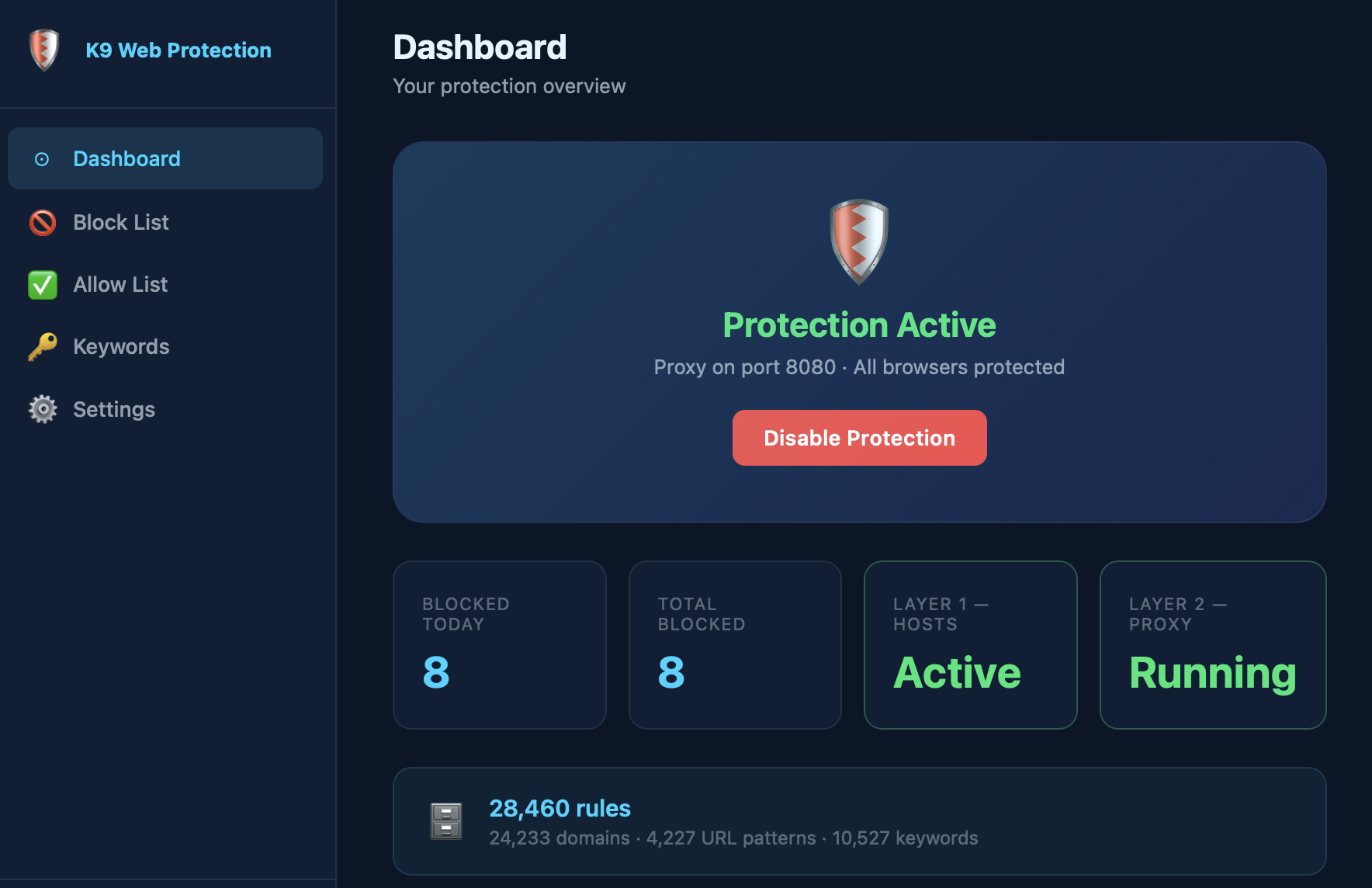
Click "Enable Protection" on the dashboard. Both layers activate instantly — all browsers are now filtered.

4

Stay protected

K9 runs silently in the background, survives restarts, and watches over itself. Set it and forget it.

Frequently Asked Questions

Everything you need to know about K9 Web Protection.

Is K9 Web Protection really free?
Completely free, forever — no premium tier, no subscription, no hidden fees. The full source code is open on GitHub for anyone to audit or build from.
Does it work in all browsers, including incognito?
Yes. K9 operates at the OS network level — not as a browser extension. The system proxy (Layer 2) and hosts file (Layer 1) filter traffic in every browser: Chrome, Firefox, Safari, Brave, Arc, and others. Incognito and private browsing modes are fully covered.
Does K9 collect any of my data?
No. All filtering runs 100% locally on your machine. No URLs, browsing history, or statistics ever leave your device. There is no telemetry, no account required, and no internet connection needed for the filter to work.
What content does K9 block?
K9 blocks adult domains (built-in database), adult URL patterns, explicit keywords, explicit image search, YouTube (optional), and enforces Safe Search on Google, Bing, and DuckDuckGo. You can also add custom domains to the blocklist or allowlist at any time.
What is the default password?
The default password is k9.khaleel.eu. Change it immediately in Settings after first launch — the default is public knowledge and anyone who knows it could disable protection.
Will K9 slow down my internet?
Negligibly. Layer 1 (hosts file) adds zero latency. Layer 2 (local proxy) routes traffic through 127.0.0.1:8080 — a localhost connection — adding under 1ms of overhead. In everyday browsing the difference is imperceptible.
Can K9 be bypassed with a VPN?
VPN apps that route through the system proxy are still filtered. For maximum protection, use Focus Mode or Disable Delay — these make it impossible to turn K9 off for a set period, even if a bypass is attempted.

Free. Forever.

No ads, no subscriptions, no data collection. Just protection.

Download free for macOS — v2.0